When you add to Books, Films, TV or Albums, each search result has a tick box. Tick as many as you want and add them together with one status. It works on Free and Pro, within your plan's limits.
Steps
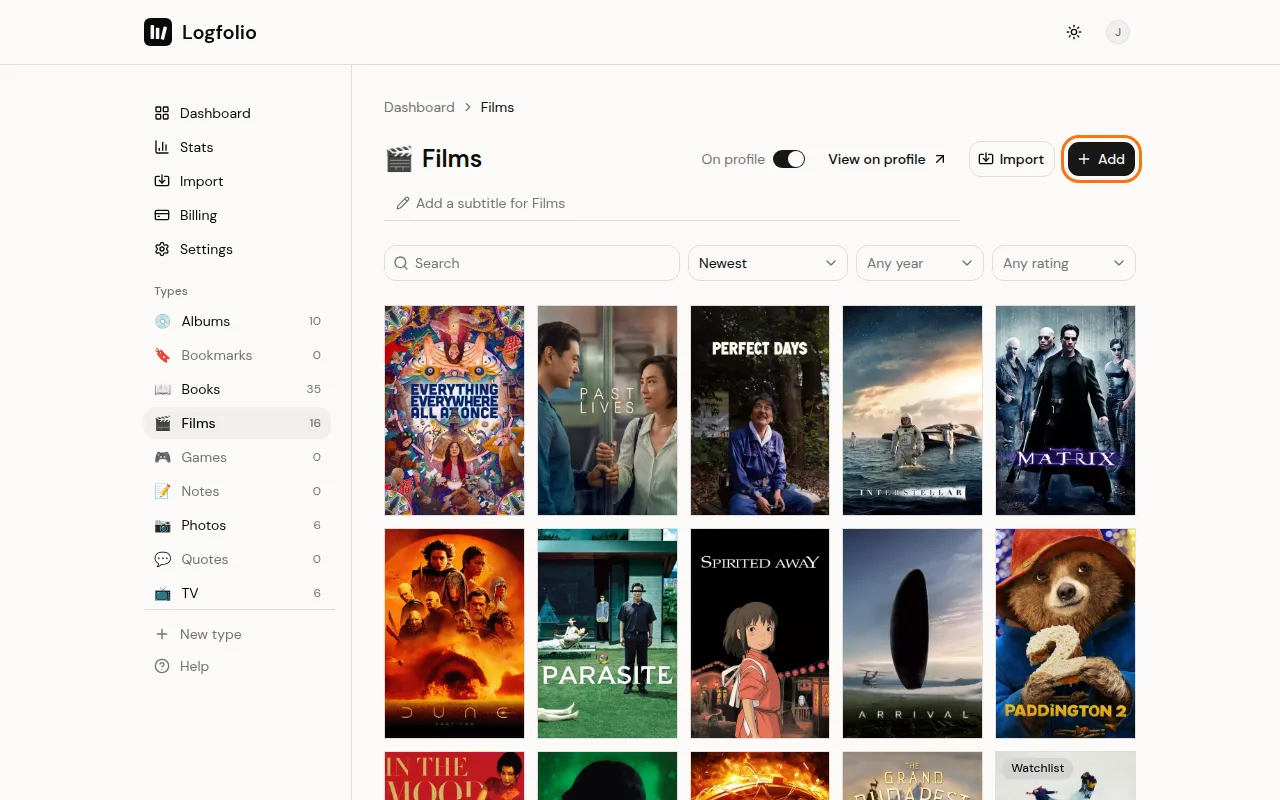
Open the type and click Add.
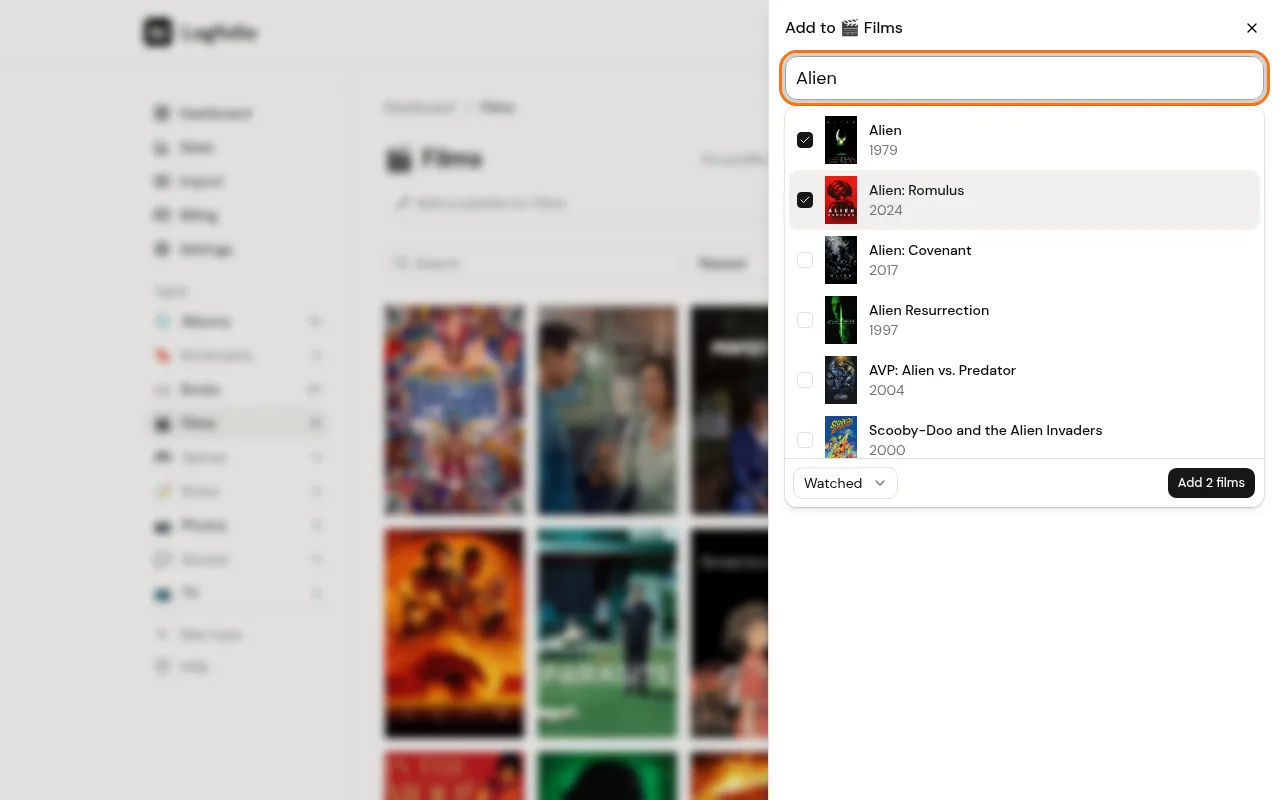
Type a title and click each result you want. A tick shows next to each one, and the list stays open.
Search for the next title the same way. Your ticks stay while you search again.
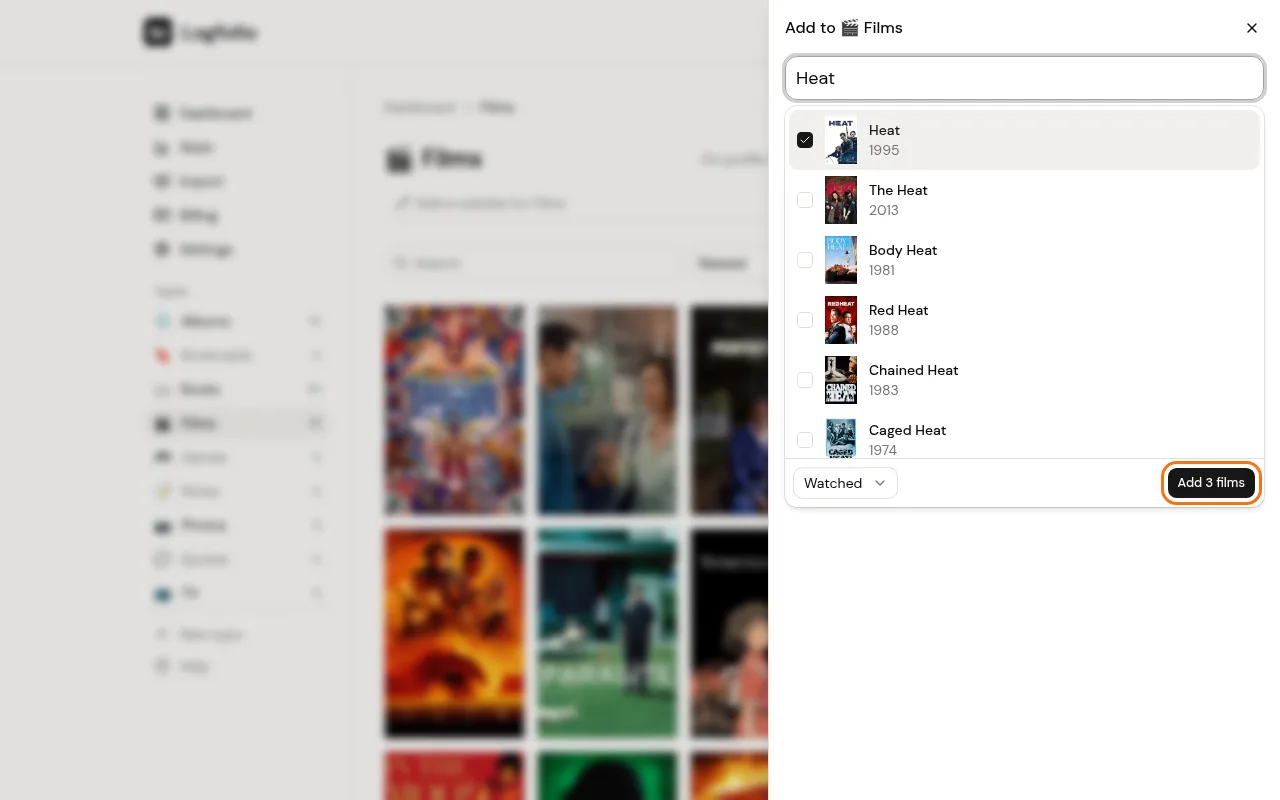
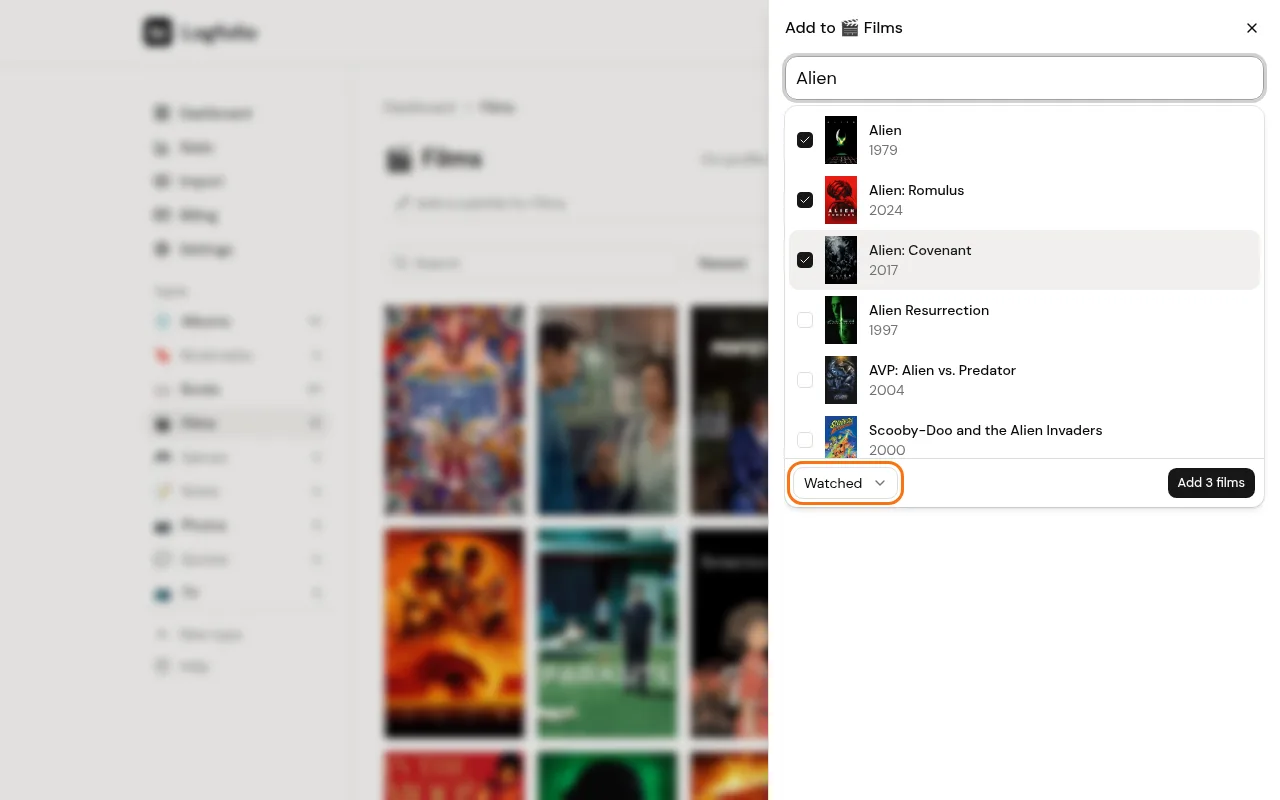
Pick one status for all of them in the menu at the bottom (like Watched or Watchlist), then click the Add button. It counts what you ticked, like Add 3 films.
Good to know
- Entries added this way get their title, creator, year, cover and the status you picked. They don't get a rating, date or review. Open any of them from your list to add those.
- A ticked title that's already in that type with a cover from search is skipped, so you won't get doubles of those.
- Only the first 50 ticked results are added in one go.
- On Free, each type holds 20 entries. If the batch would go over that, nothing is added and you'll see a note with a link to get Pro. Untick a few, or upgrade to Pro.
- Games, Bookmarks, Quotes, Photos and your own types don't have this search, so you add those one at a time.
- Moving over from another app? Import from Goodreads or Letterboxd instead.