Upload the ZIP that Letterboxd makes and your films land in your Films log. Anyone can do this. Free brings in up to 20 films, newest first, and Pro brings them all.
Steps
On Letterboxd, open Settings, then Data, and choose Export your data.
Download the ZIP file. Don't unzip it. Logfolio reads the ZIP as it is.
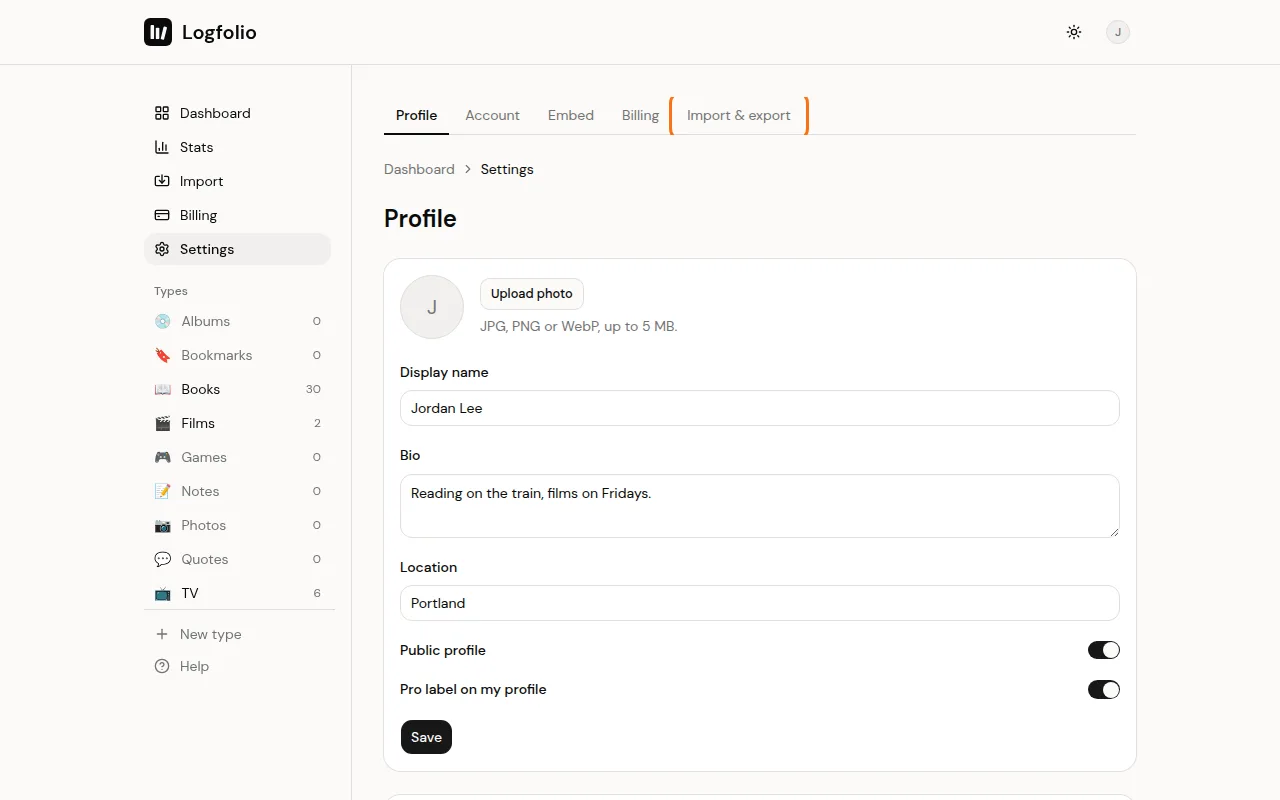
In Logfolio, open Settings, then the Import & export tab.
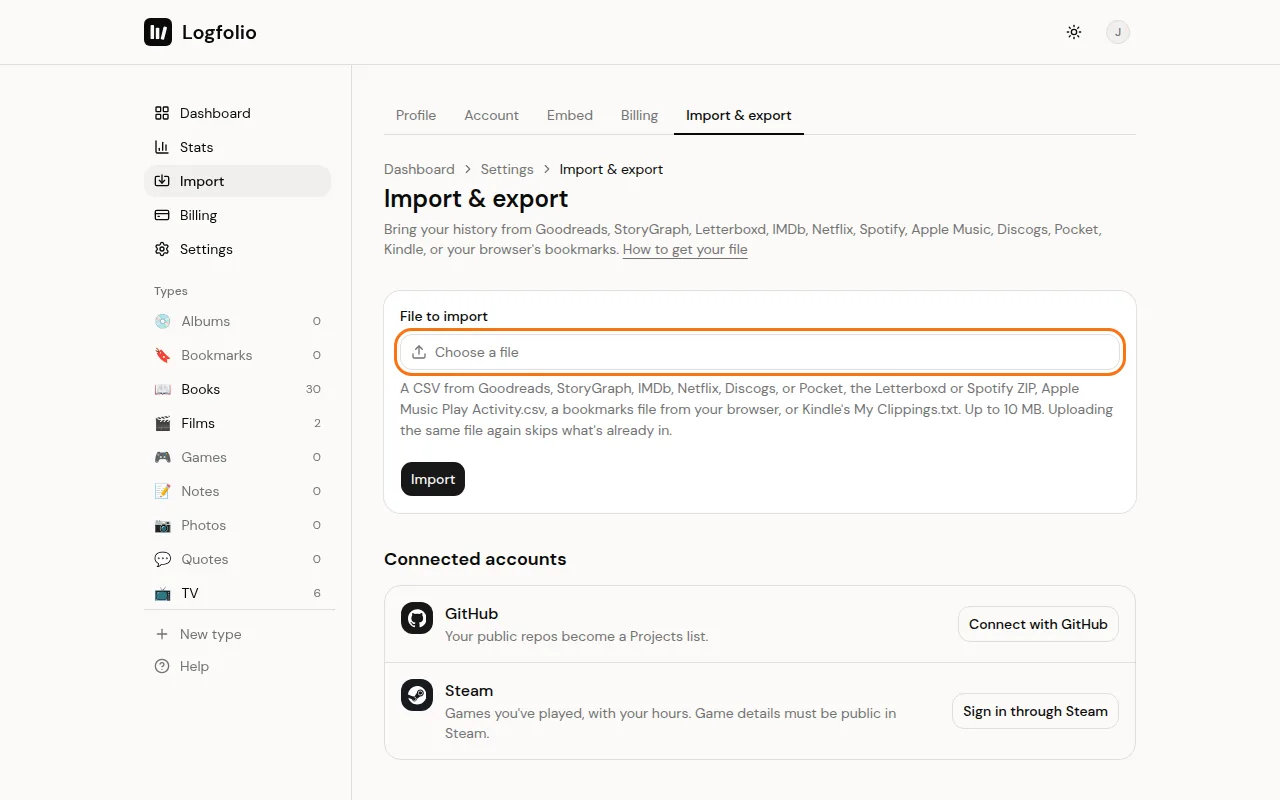
Click Choose a file, pick the Letterboxd ZIP, then click Import.
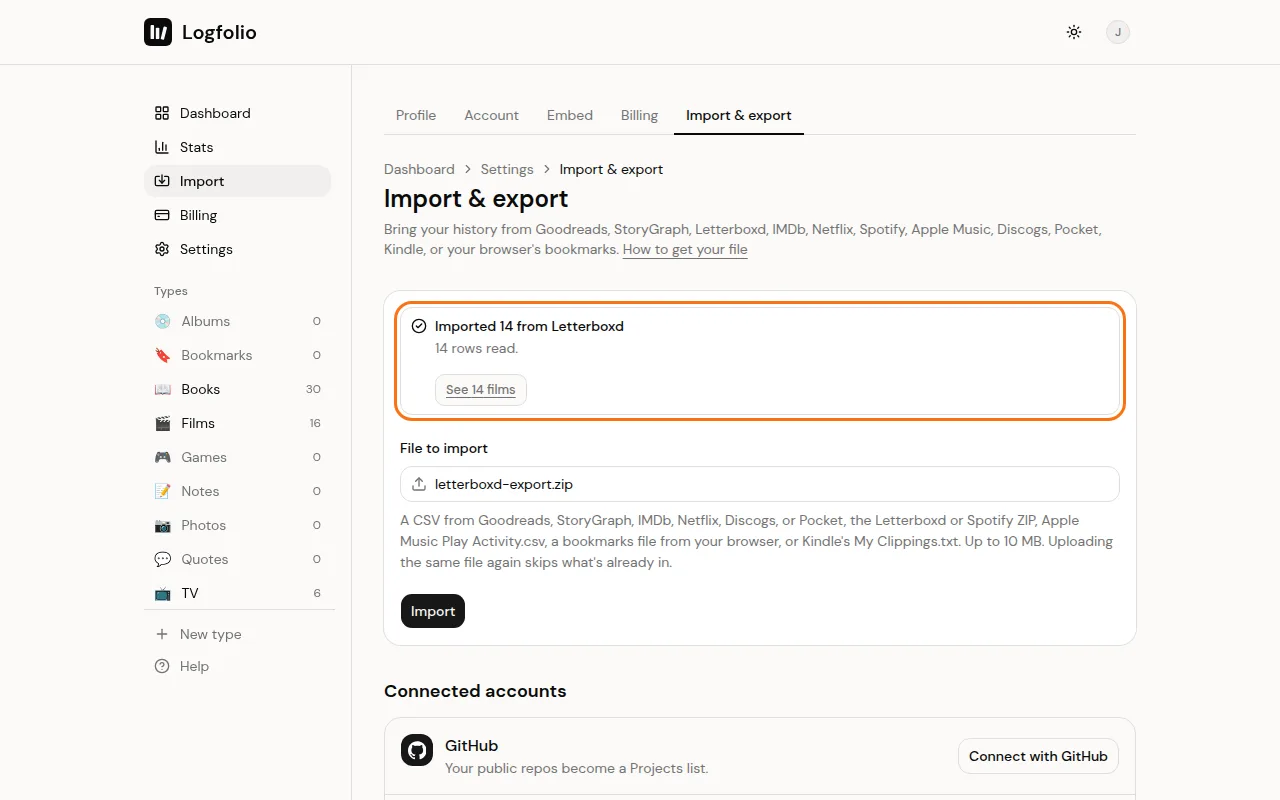
When it's done, a box tells you how many films came over. Click its See button (like See 85 films) to open your Films log.
What comes over
- Every diary entry as Watched, with the date you watched it. A rewatch is its own entry.
- Your ratings, half stars included.
- Your tags.
- Your reviews, each matched to its diary entry (they stay private).
- Films you marked as watched without a diary entry, with your rating but no date.
- Your watchlist, as Watchlist.
- A link back to each film's Letterboxd page.
Good to know
- Your likes, lists and deleted items are in the ZIP, but they're left out.
- No ZIP handy? You can upload the diary.csv from inside it instead. The ZIP brings more, though.
- Files can be up to 10 MB.
- Uploading the same ZIP again skips films you already have and leaves your edits alone. A film that's already in your log from IMDb or added by hand is skipped too, unless it has a different watch date.
- If the result says some films are over the free limit, upgrade and upload the same ZIP again to bring the rest. See Import limits and duplicates.
- Got IMDb ratings too? See Import from IMDb.