On Free, each type holds 20 entries, and imports fill that room with your newest first. Importing the same file again never makes duplicates. With Pro there's no limit, so upload the same file again and the rest comes in.
Steps
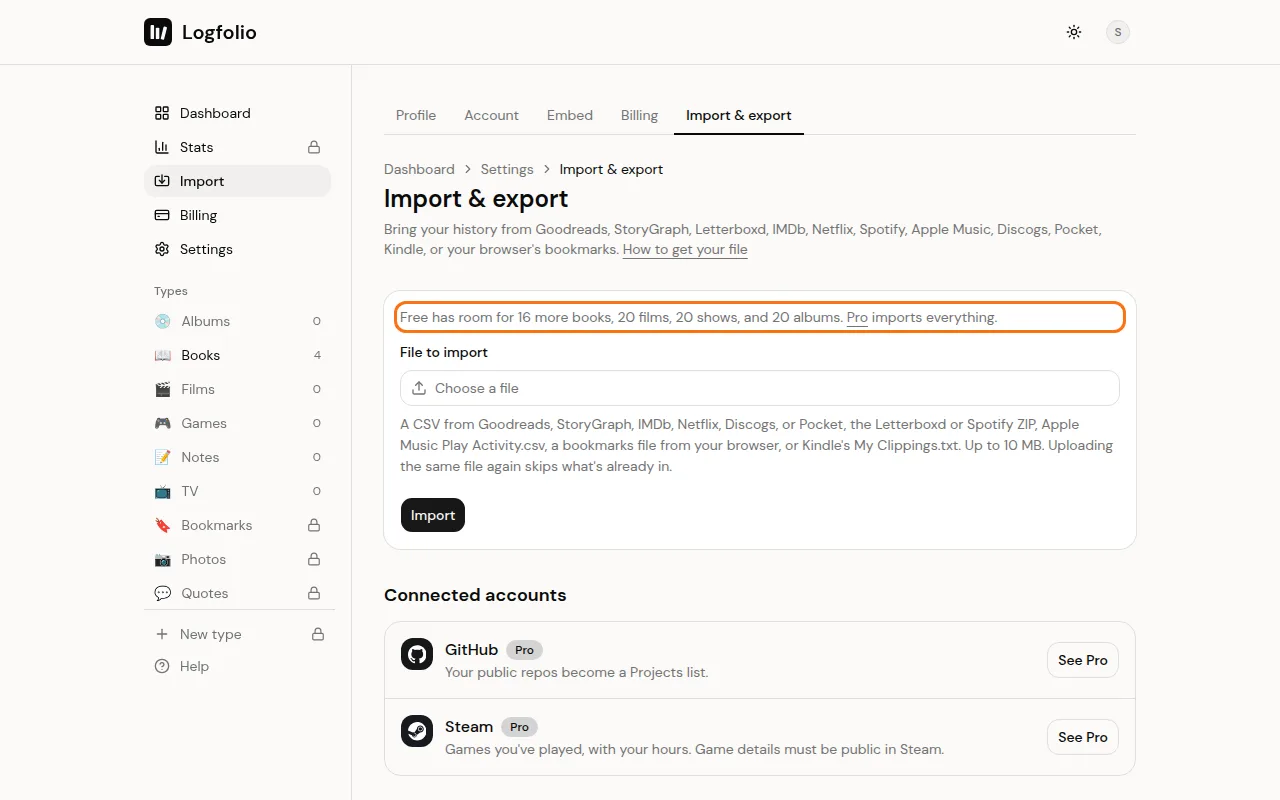
Open Settings → Import & export. On Free, the line above the file picker tells you how much room is left, like "Free has room for 12 more books, 20 films, 20 shows, and 20 albums."
Upload your file. When it's done, the result box tells you how many rows were read, how many were already in your log and skipped, and how many are over the free limit.
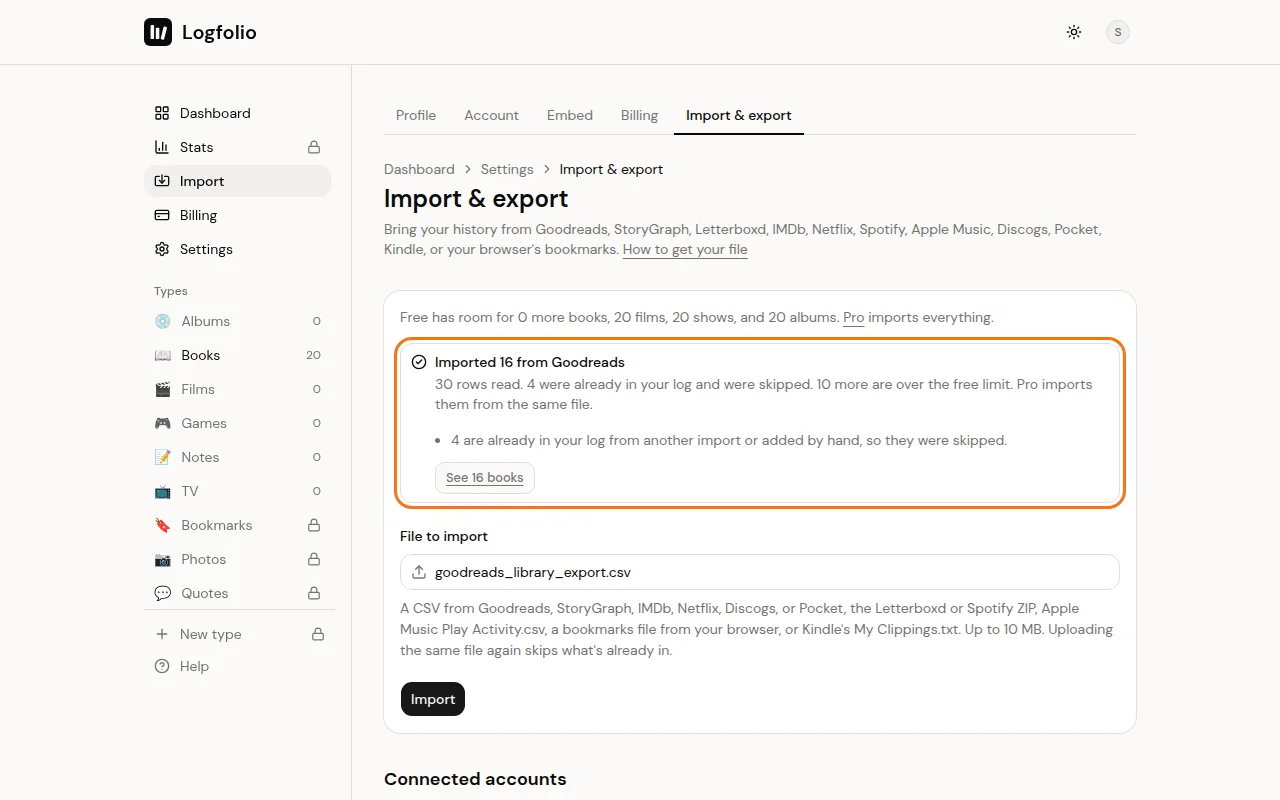
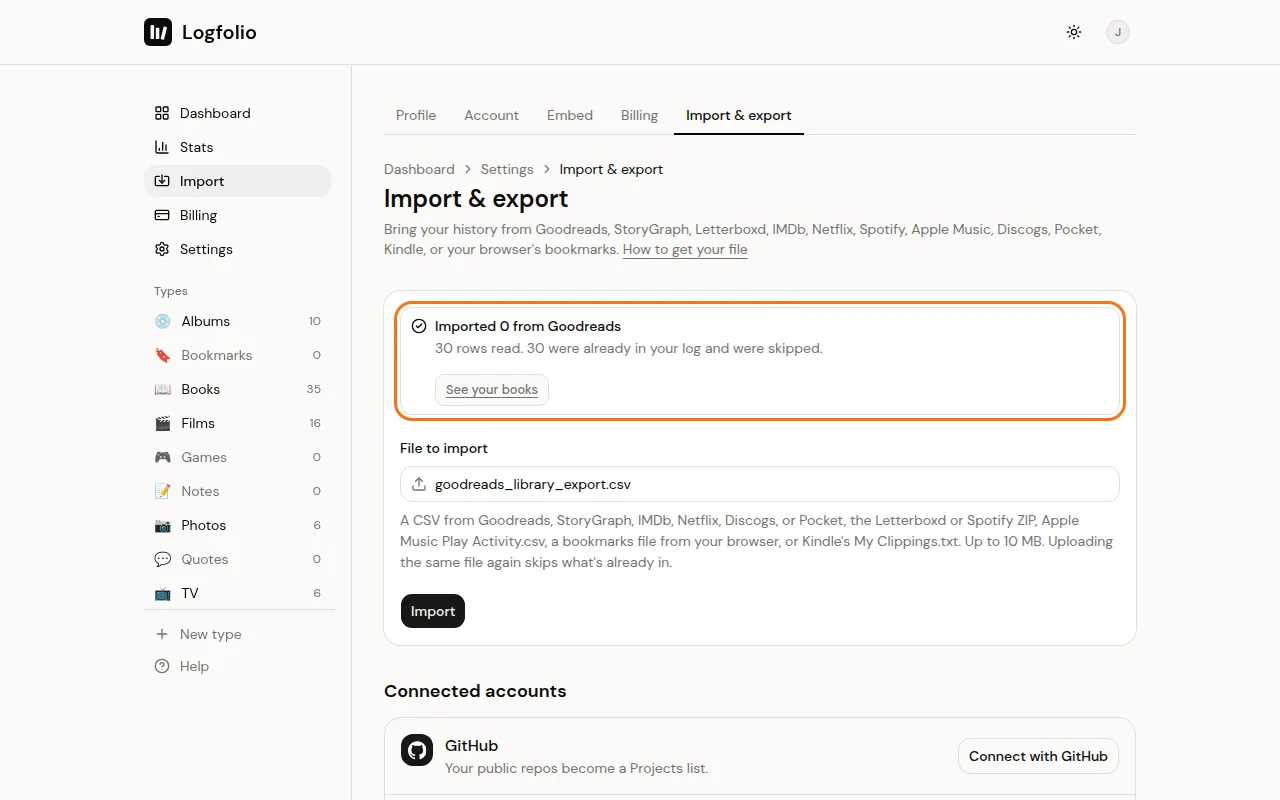
To bring in the rest, upgrade to Pro, then upload the same file again. What's already in is skipped, and everything else comes in.
What comes over
- On Free, up to 20 entries per type: 20 books, 20 films, 20 TV shows, and so on. Newest means the latest finish date first, and rows with no date come last.
- Rows from a file you imported before are skipped, and your edits since are kept.
- A row that matches something already in your log from another app, or added by hand, is skipped too. It matches when the title, creator, year and finish date don't disagree.
- A different finish date counts as a reread or rewatch, so it comes in as its own entry.
- For bookmarks, the same link counts as the same bookmark, whatever its title.
Good to know
- Entries you added by hand count toward the 20. Deleting an entry frees its slot.
- Skipped duplicates never use up a Free slot.
- Bookmarks and Quotes are Pro types, so Pocket, bookmarks and Kindle files need Pro. Steam and GitHub need Pro too.
- One file can be up to 10 MB and 25,000 rows.
- If you drop back to Free later, nothing is deleted. You just can't add to a type until it's back under 20. See Cancel Pro.
- Ready for everything? See Upgrade to Pro.