You can cancel a monthly or yearly plan any time. You won't be charged again, and Pro stays on until the end of the period you've paid for. Nothing in your log gets deleted.
Steps
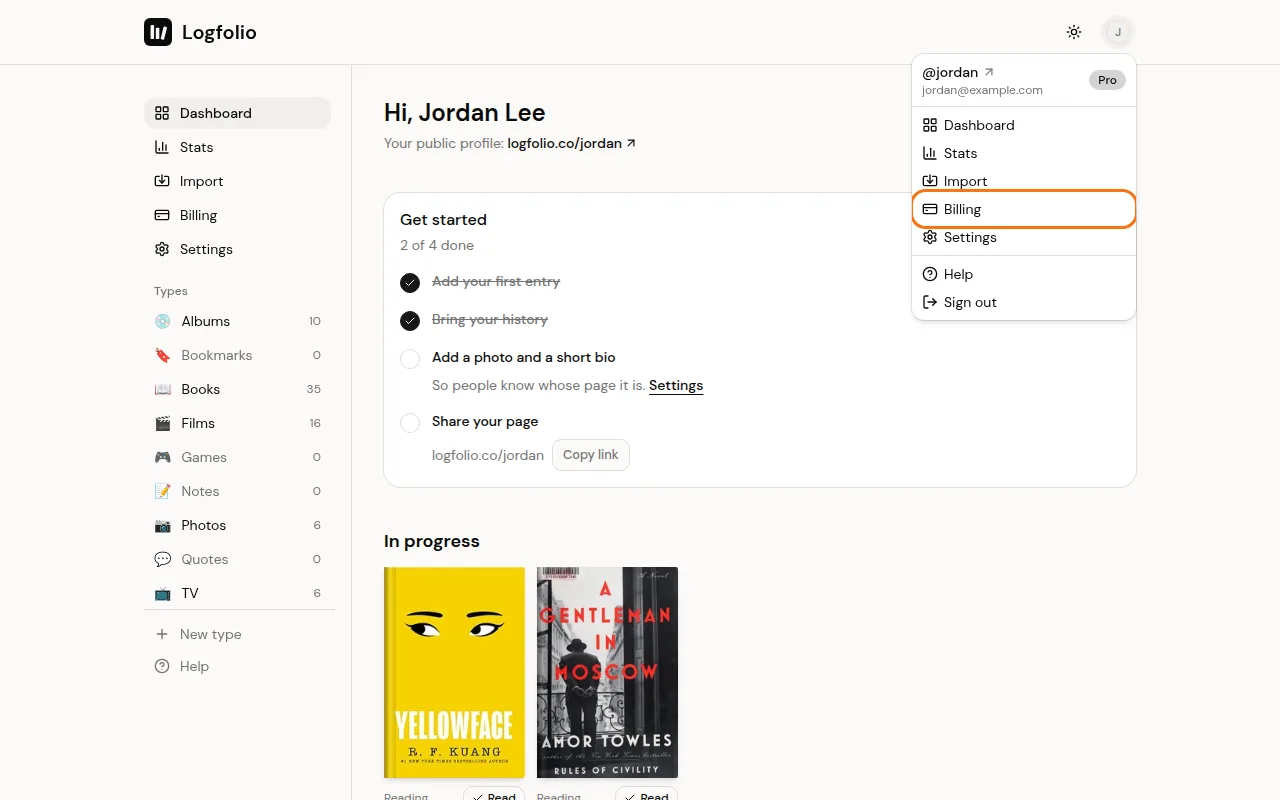
Open the account menu and click Billing.
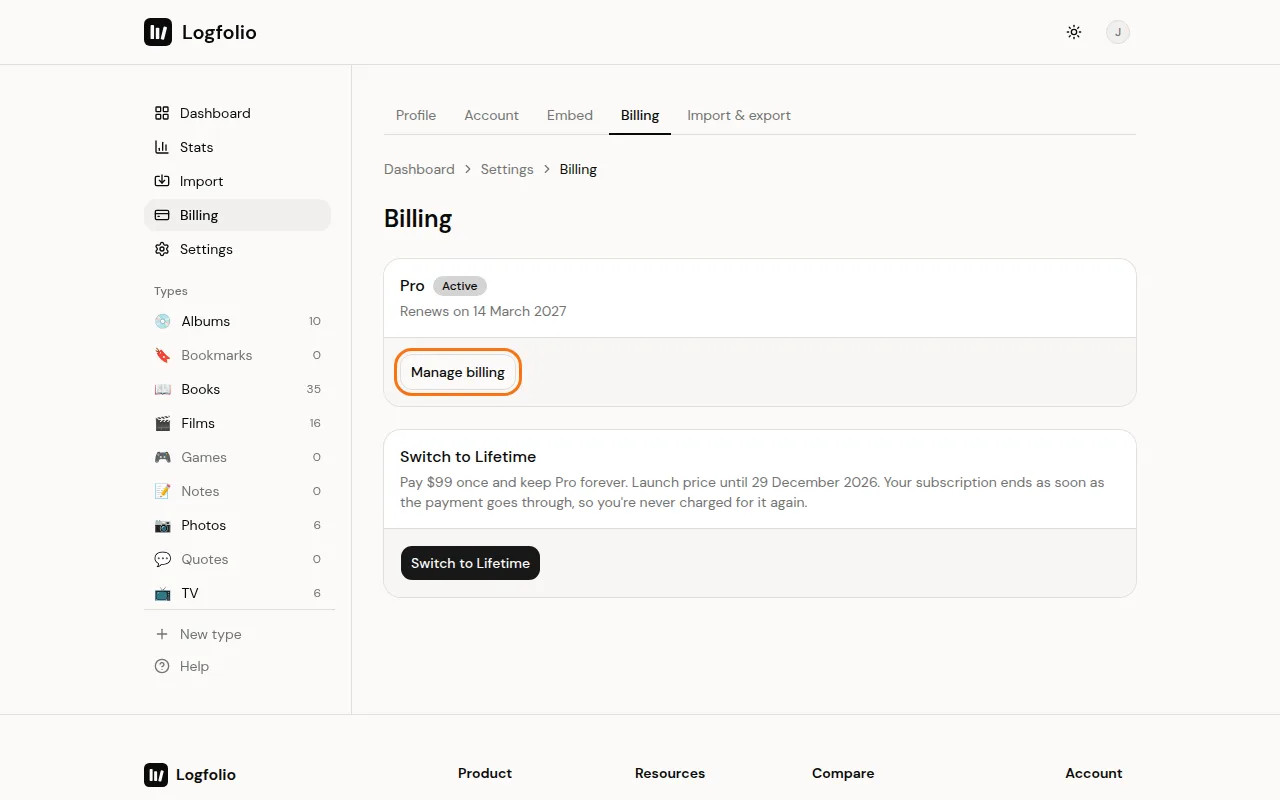
Click Manage billing. This opens Polar's billing page, where you can cancel your subscription.
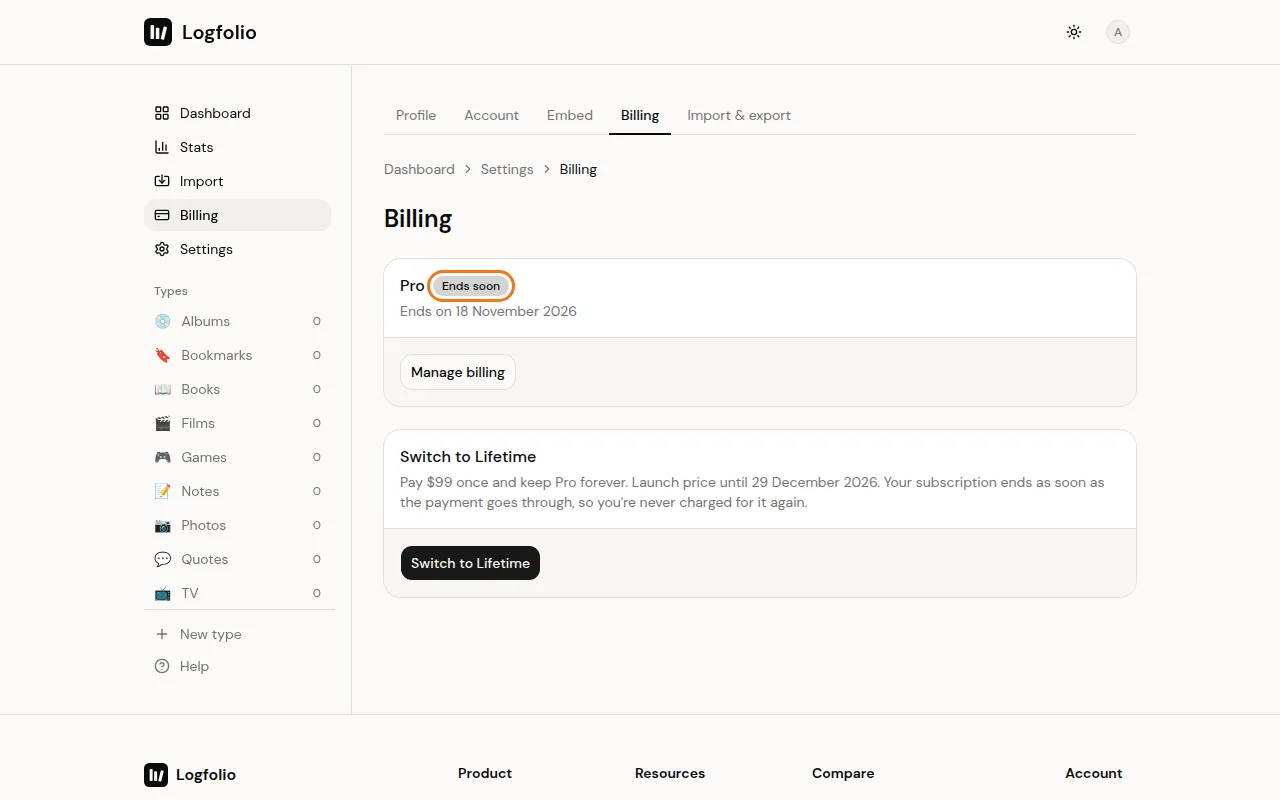
After you cancel, head back to Billing. Your plan shows Ends soon and the date Pro ends.
Good to know
- Until that date, everything in Pro keeps working.
- When Pro ends, nothing is deleted:
- Types with more than 20 entries keep them all, but you can't add more until a type is under 20.
- Your own types, Bookmarks, Quotes and Photos become read-only and leave your page. You can still read and delete those entries.
- Private entries stay private.
- Published notes are hidden.
- Upgrade again any time and it all comes back.
- Lifetime Pro has nothing to cancel, since it never renews.
- Want your money back for a recent payment? See get a refund.
- Deleting your account also ends your subscription right away. See delete your account.